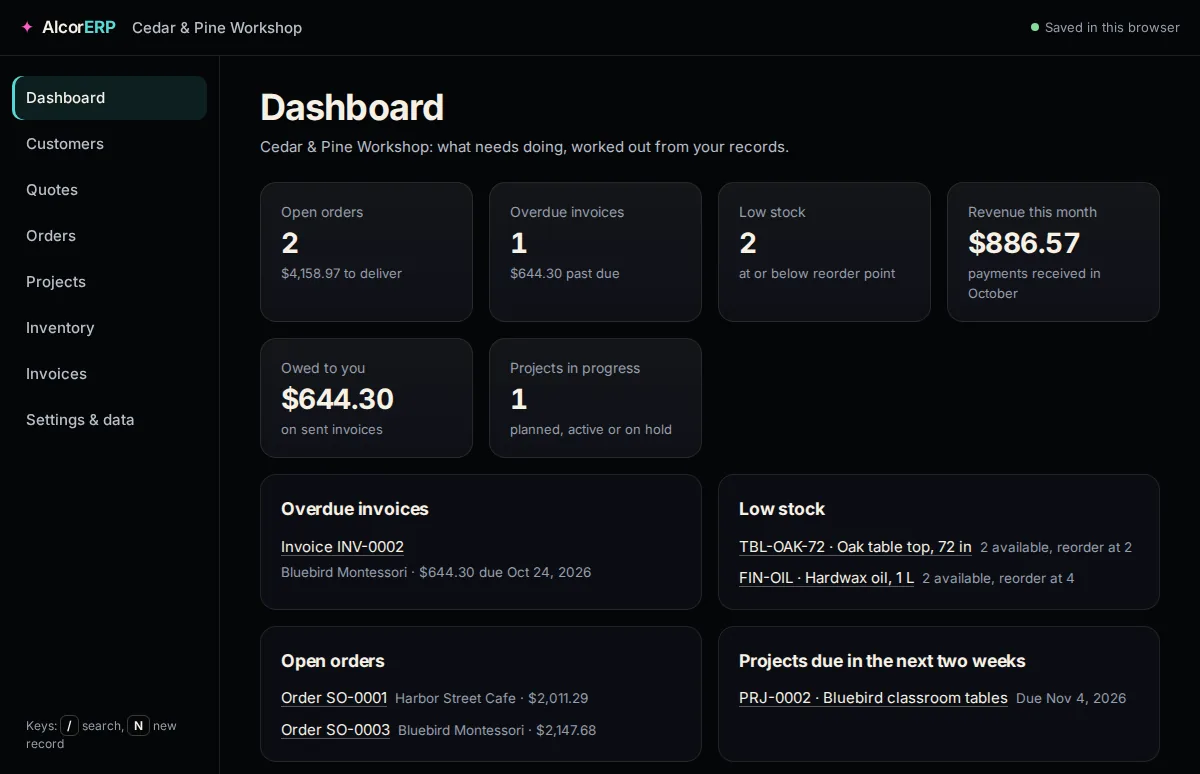
Dashboard
Open orders, overdue invoices, low stock and revenue this month, each linked to the records behind it, with a getting-started checklist for a new workspace.
 Alcor IndustriesGet a quote
Free browser app
AlcorERP is a free ERP for small teams. A customer’s quote becomes an order, the order reserves stock and becomes a project, and the project ends in an invoice you can print and mark paid. It runs in your browser, and your records stay on your device.
How it works
Nobody retypes the same job into five tools. Open any record and AlcorERP shows the chain it belongs to: customer, quote, order, project and invoice.
What is in it
Open orders, overdue invoices, low stock and revenue this month, each linked to the records behind it, with a getting-started checklist for a new workspace.
Contacts with what each customer has open and owes you, and links to all of their records.
Line items, tax and totals. Quotes convert to orders, open orders hold stock, and fulfilling an order ships it.
The job behind an order: status, start and due dates, a task list and the stock used.
On hand, reserved and available for each item, a reorder point, and a log of every stock movement.
Draft, sent, paid and overdue. Partial payments, your own number prefix, and a print view for paper or PDF.
Every table can be searched, sorted and exported as CSV. On a phone the tables turn into cards.
Your data
AlcorERP saves to this browser’s storage on this device. There is no account and no server copy, and the app page is set to block every network connection.
Questions
For companies
We build custom versions for companies: shared logins, your own records and steps, and connections to the tools you already use. We start with one workflow, and you get a written quote before any work begins.
For businesses
We build websites and custom tools for businesses. You talk to the person who builds it, and you get a written quote before any work starts.