✦AlcorPhotoOpen editor
ALCORPHOTO · FREE BROWSER PHOTO EDITOR

A layered photo editor that runs in your browser.

Layers and masks, adjustment layers, healing, selections, filters, and exports. Nothing to install, nothing to sign up for, and your pictures never leave your device.

  • Free
  • No account
  • Files stay on your device

Open the editorSee what it does

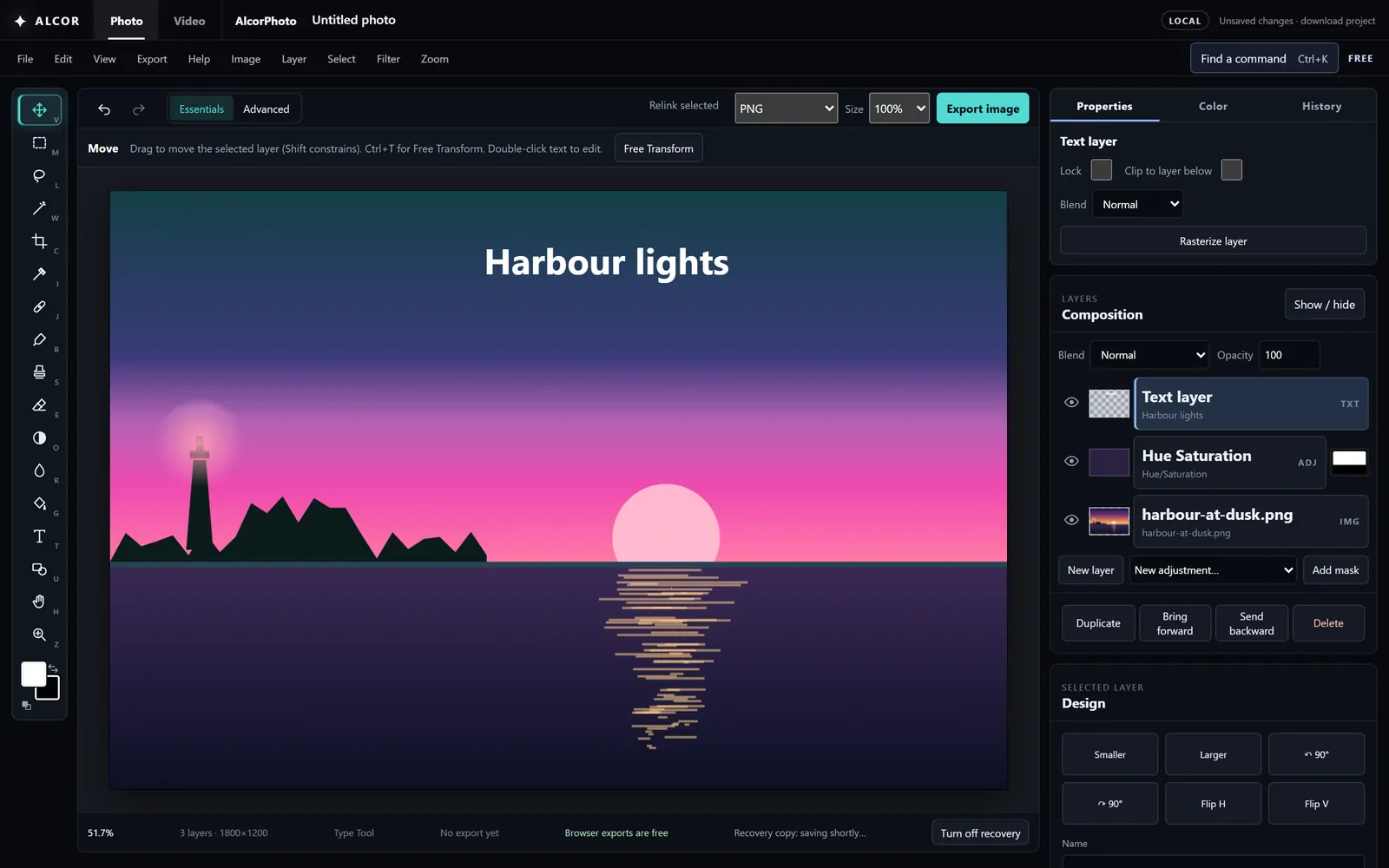
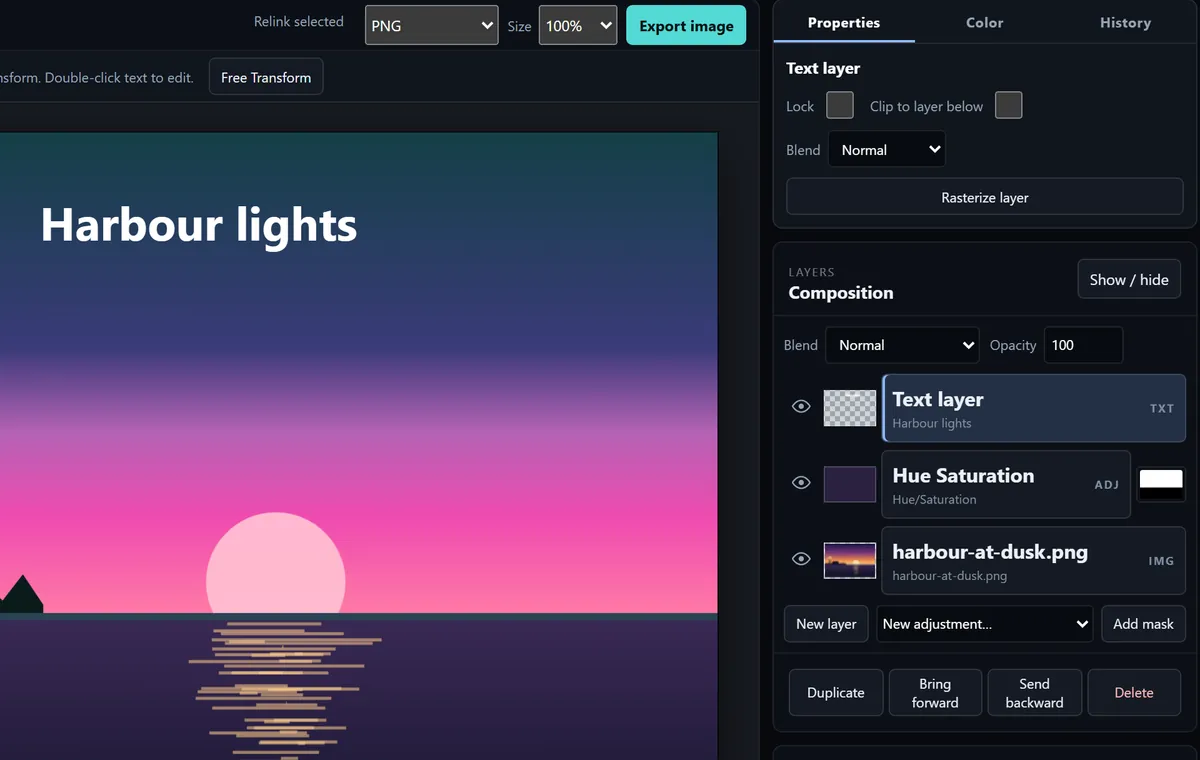
The AlcorPhoto editor with a sunset picture, a text layer, and a masked Hue/Saturation adjustment layer in the Layers panel.
THE CORE WORKFLOW

The tools you reach for every day.

Every picture on this page is a screenshot of the editor, made with the sample images it ships with.

A Hue/Saturation adjustment layer limited to the sky by a layer mask, with the mask thumbnail beside it in the Layers panel.
Layers + masks

Change one part of the picture and leave the rest alone.

Stack pixel, text, shape, and adjustment layers. Paint a mask to hide or reveal, clip a layer to the one below, group, reorder by dragging, and choose from 16 blend modes.

  • Pixel masks you paint in black and white
  • A selection becomes the mask of a new adjustment
  • Clipping, groups, merge, and flatten
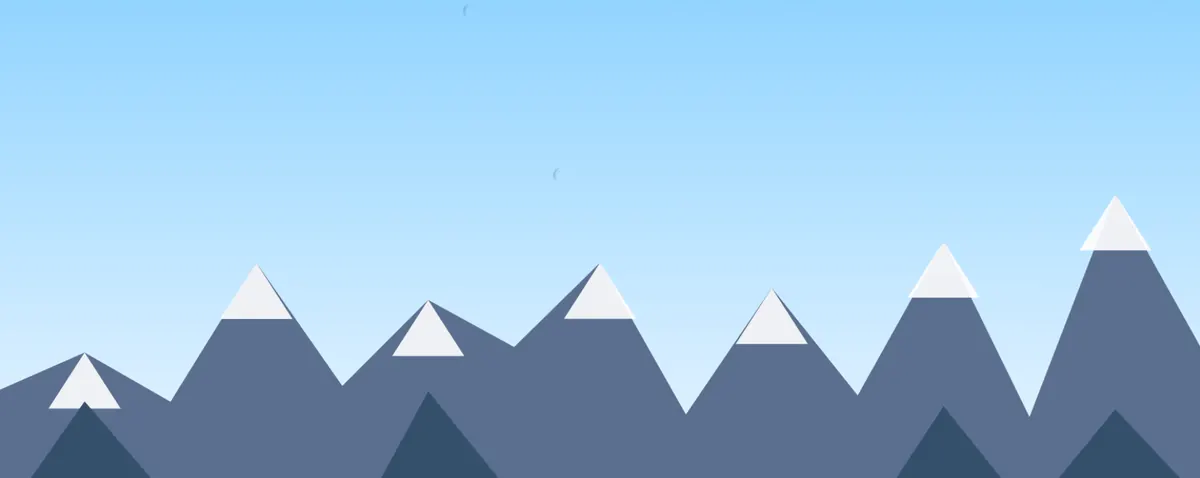
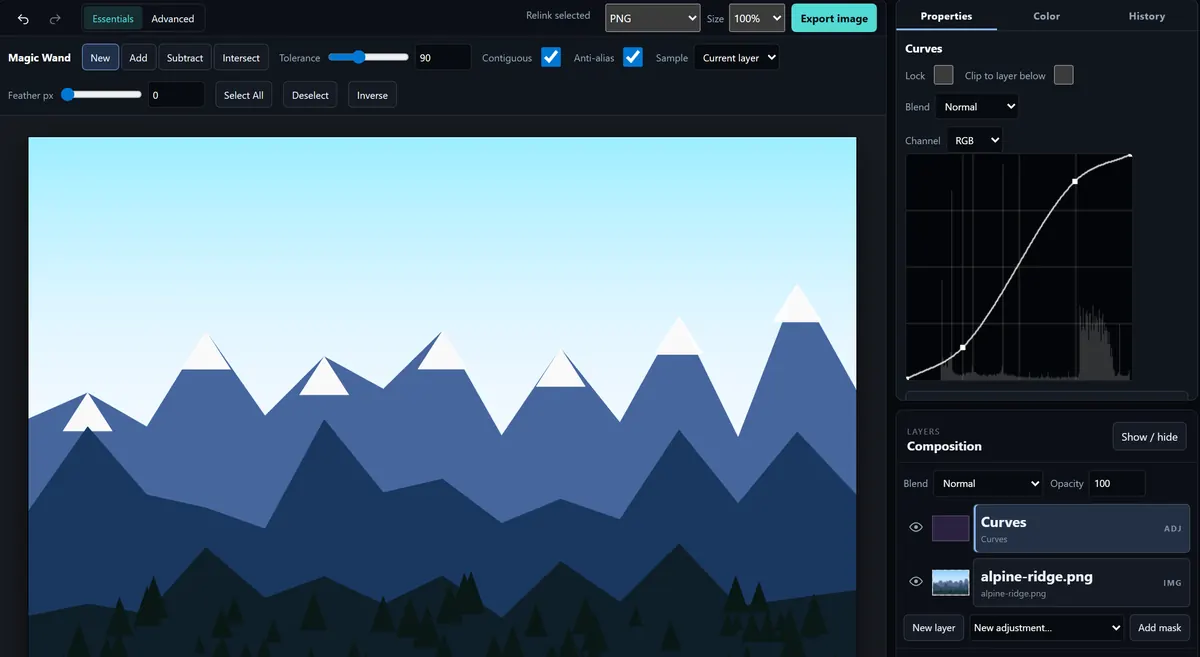
The Curves panel with an S-curve over a histogram, deepening the contrast of a mountain picture.
Adjustment layers

Color and tone you can always change later.

Fourteen adjustments live on their own layers, so the original pixels are never touched: Levels, Curves, Hue/Saturation, Vibrance, Color Balance, Brightness/Contrast, Exposure, Black & White, Invert, Threshold, Gradient Map, Photo Filter, Posterize, and Channel Mixer.

  • Curves and Levels with a live histogram
  • Opacity, blend mode, and mask on every adjustment
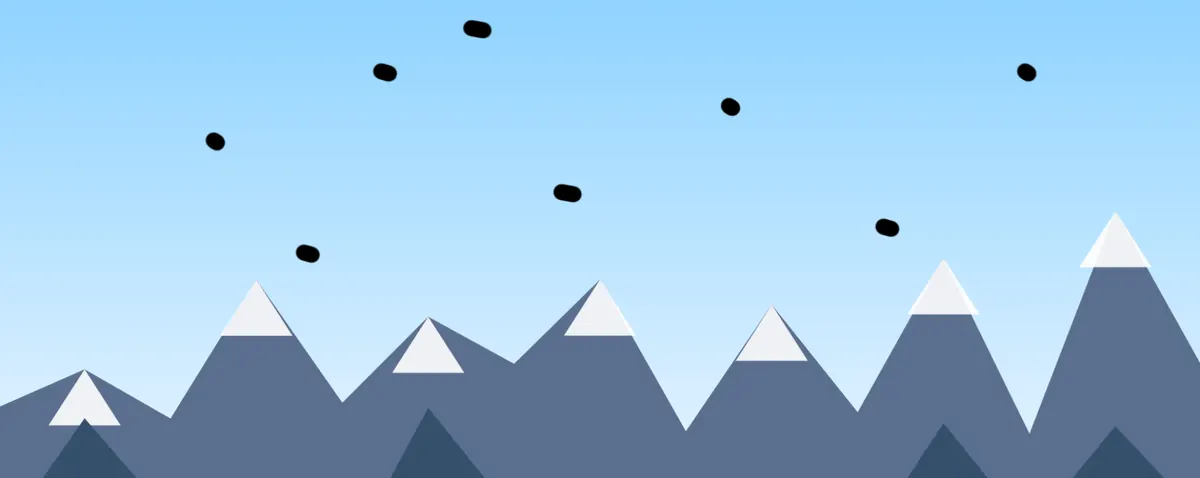
Before: a mountain sky with eight dark dust spots. After: the same sky with the spots removed by the Spot Healing Brush, one click each.
Healing + clone

Click a blemish and it is gone.

The Spot Healing Brush borrows texture from a matching nearby patch and blends its color into the edge. The Healing Brush and Clone Stamp copy from a source you pick with Alt-click. Red-eye removal is one click too.

  • Works best on skin, sky, and other even areas
  • It is not content-aware fill; remove large objects with the Clone Stamp
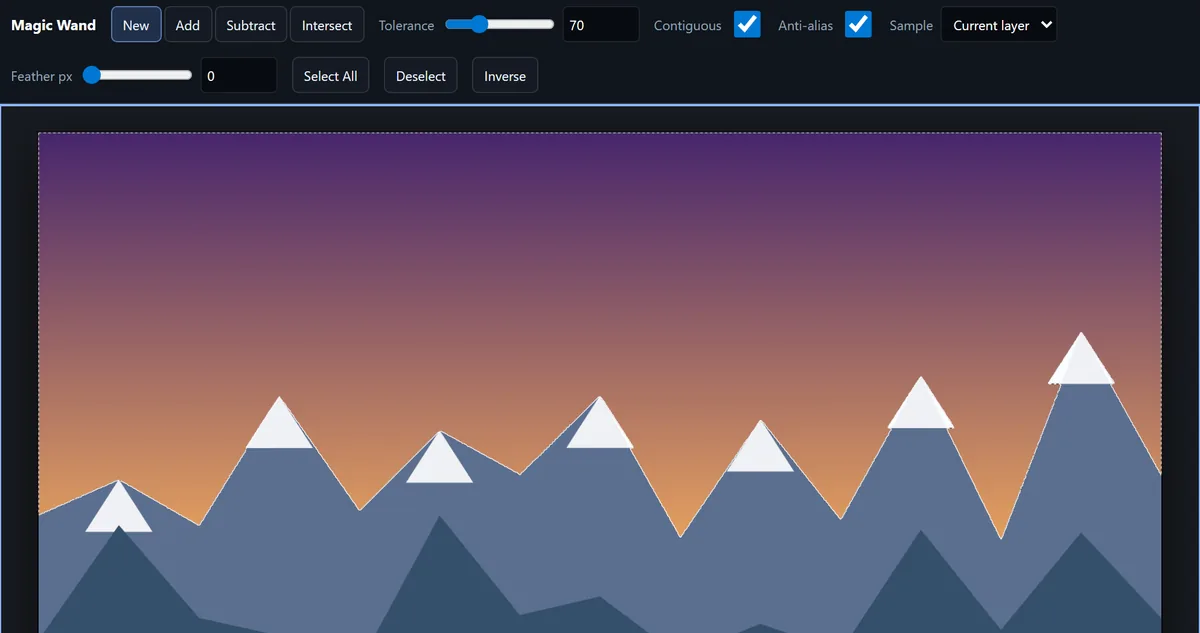
A Magic Wand selection of the sky, its marching ants tracing the mountain ridge, filled with a sunset gradient that stays inside the selection.
Selections

Select exactly what you mean.

Rectangle and ellipse marquees, freehand and polygonal lasso, and a Magic Wand with tolerance. Add, subtract, and intersect, then feather, expand, contract, or invert. Painting, fills, filters, and adjustments all respect the selection.

  • Color Range from the foreground color
  • Selections are steps in the undo history
EVERYTHING ELSE IN THE BOX

A full toolbar, not a filter app.

Paint

Brush with size, hardness, opacity, flow, and pen pressure. Eraser, paint bucket, gradients, and eyedropper.

Dodge, burn, sponge

Lighten, darken, or change saturation in the shadows, midtones, or highlights. Blur and sharpen brushes.

Filters

Gaussian and motion blur, unsharp mask, add and reduce noise, mosaic, emboss, and high pass, with a preview.

Free transform

Move, scale, rotate, and skew with handles or exact numbers. Flip and rotate a layer or the whole canvas.

Crop + canvas

Crop with ratio presets and straighten, resize the image, or change the canvas size around an anchor.

Type + shapes

Edit text right on the canvas with font, weight, size, leading, and tracking. Rectangle and ellipse shapes.

History

500 undo steps and a History panel to jump back to any earlier state. Rulers, guides, and snapping.

Open + export

Open PNG, JPEG, WebP, GIF, or a flattened PSD. Export PNG, JPEG, WebP, or SVG at the quality and size you choose.

Familiar shortcuts: V move, M marquee, B brush, J heal, Ctrl+Z undo, Ctrl+T transform. Press ? in the editor for the full list.

FREE · NO ACCOUNT · YOUR DEVICE

Edit images. Keep the source on your device.

Pictures are opened and edited inside this browser tab and are never uploaded. The editor page is set up so it cannot open network connections, and it loads no analytics. Exports are made on your device and are always free. Save a .alcorphoto project file to pick up where you left off.

While you have unsaved changes, a recovery copy is kept in this browser only, so a crash or a closed tab does not cost you your work. You can turn it off from the status bar.

HONEST LIMITSWhat it does not do yet

No camera RAW, CMYK, or 16-bit editing. PSD files open as a single flattened image. No content-aware or generative fill, pen tool, or layer styles. It is built for a desktop or laptop; phones get a simplified layout.

Free editor. Free exports.

AlcorPhoto is free to use in your browser. Your images stay on your device. No account is required.

Open AlcorPhotoAsk about a local edition

A packaged local/offline edition is roadmap work. There is no download, checkout, or available local build today.